
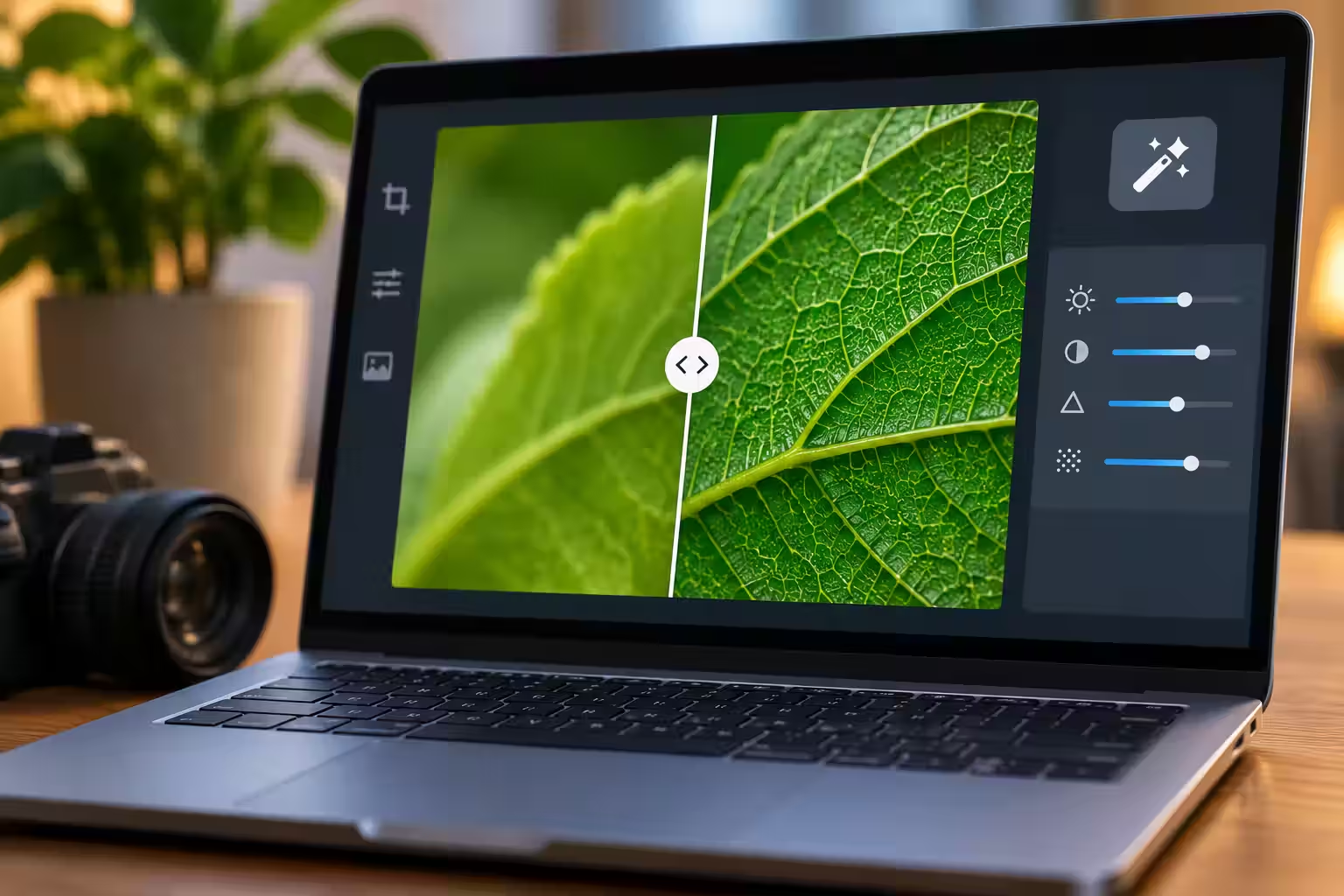

A soft close-up of a leaf becomes impressively crisp after enhancement. Fine veins appear across its surface, and tiny variations give the image a convincing natural texture. Some may agree with the source. Others may simply look like the kind of detail a leaf ought to have. The sharper picture does not explain which is which.
An AI Photo Editor can make a photograph more appealing without establishing new facts about the subject. If you want to edit a photo for a gardening journal or a personal image collection, decide whether the task is decorative or descriptive. A pleasing texture can suit one purpose while being inadequate evidence for a caption that describes a particular visible feature.


Define the Detail the Original Image Actually Supports
Consider a hypothetical phone photograph of a leaf collected for a personal visual journal. The outline and a central vein are clear, while the finer branching is soft. The photographer wants a readable illustration of the shape. That is a narrower purpose than identifying a plant, assessing its condition, or describing minute structures from the enhanced image.
Before using photo editor AI, list the features that can be seen in the original. A visible central vein can be compared directly. A barely resolved patch of texture cannot become verified simply because the candidate gives it a neat pattern. This distinction keeps the review focused on the source rather than on how persuasive the new detail appears.

PicEditor AI offers enhancement and upscaling routes for preparing a clearer-looking candidate. Keep the original photograph available and do not treat the candidate as an independent observation of the leaf. The process can change the image’s appearance, but it cannot provide a second camera view of the physical subject. A new photograph would be a different kind of evidence.
Read the intended caption before making the edit. A caption describing a broad leaf shape may remain supported by the source. A caption describing a newly visible network of tiny veins asks more of the image. The wording should follow what can be checked rather than becoming more specific because an attractive output makes specificity feel tempting.
Compare Enhancement With Taking Another Photograph
If the subject is still available, a closer or better-focused photograph may answer the question more directly. It may also change the lighting or the visible surface, so inspect that new source on its own terms. The point is not that every reshoot is automatically better. It is that another observation can supply information that a reinterpretation of the same soft input cannot confirm.
PicEditor AI can be useful when the aim is a more legible illustration and the important features are already present. A narrow request can preserve the leaf’s outline and central structure while exploring a cleaner presentation. Review the actual output for changed shape, exaggerated contrast, or a newly regular pattern. Do not assume the enhancement route makes all changes equally trustworthy.
For a decorative journal page, the creator may prefer a stylised treatment that makes its interpretive nature obvious. For a descriptive record, the unaltered photograph and a restrained crop may be more appropriate. Those are different editorial choices. Neither needs to borrow authority from a realistic-looking texture that the source does not resolve.
Compare the options at the intended display size. A heavily enhanced candidate may look dramatic when enlarged but offer little useful improvement in a small journal image. Another crop may make the main outline easier to see without adding any new texture. The practical choice should follow the page’s purpose rather than the amount of detail generated.
Inspect New Branching Before Praising the Extra Sharpness
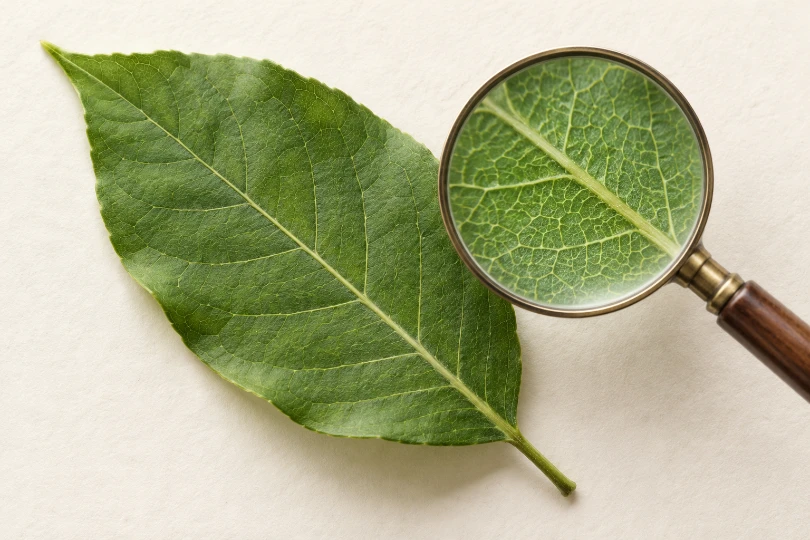
Follow the visible central structure into the finer branches. Do the branches line up with marks already present in the source, or do they appear in previously unresolved areas? A candidate can contain both supported and unsupported detail. Inspect the areas separately rather than approving or rejecting every part of the image with a single sharpness judgment.
A Photo editor output may produce a coherent pattern that feels natural. Coherence alone does not establish that the particular leaf had that pattern. If the journal needs the actual fine structure, return to a clearer source or the physical subject. Do not use repeated generation as a substitute for checking the thing being photographed.
Compare a few identifiable junctions rather than counting how many fine lines the candidate contains. More lines can mean a richer-looking pattern without greater agreement with the original. A location-specific comparison makes the difference easier to describe.
Notice whether noise has become a repeated surface motif. Small marks can look like deliberate texture once they are made more regular or contrasty. The result may be visually useful for an illustration, but the caption should not describe those marks as newly discovered physical features. Keep the distinction between an image treatment and an observation visible in the publishing decision.
Check the outer edge as carefully as the interior. A sharper margin can change the apparent shape of a notch or a tip. If the source is clear there, compare it directly. If it is soft, record the uncertainty instead of letting a crisp new contour settle the question. A cleaner boundary can be more confident without being better supported.
Retain the candidate’s context when sharing it with someone else. If they see only the polished image, they may reasonably assume its details were photographed. An accompanying explanation of the edit can prevent that misunderstanding. The exact wording depends on the use, but a descriptive record should not conceal a transformation that affects how its details are interpreted.
Keep the Improved Image Within Its Evidence Boundary
PicEditor AI can help prepare a more appealing illustration when the creator understands which features came from the source and which remain uncertain. It is less useful as proof that hidden microdetail has been recovered accurately. Keep the original and choose the final use before making claims about newly visible texture.
Approve the candidate when it communicates the intended shape without misleading the reader about the basis of its detail. If another photograph answers the question more clearly, use it. Compare the final caption with the source photograph once more before sharing the page.



Chcete k tomu něco dodat? Napište krátce proč.